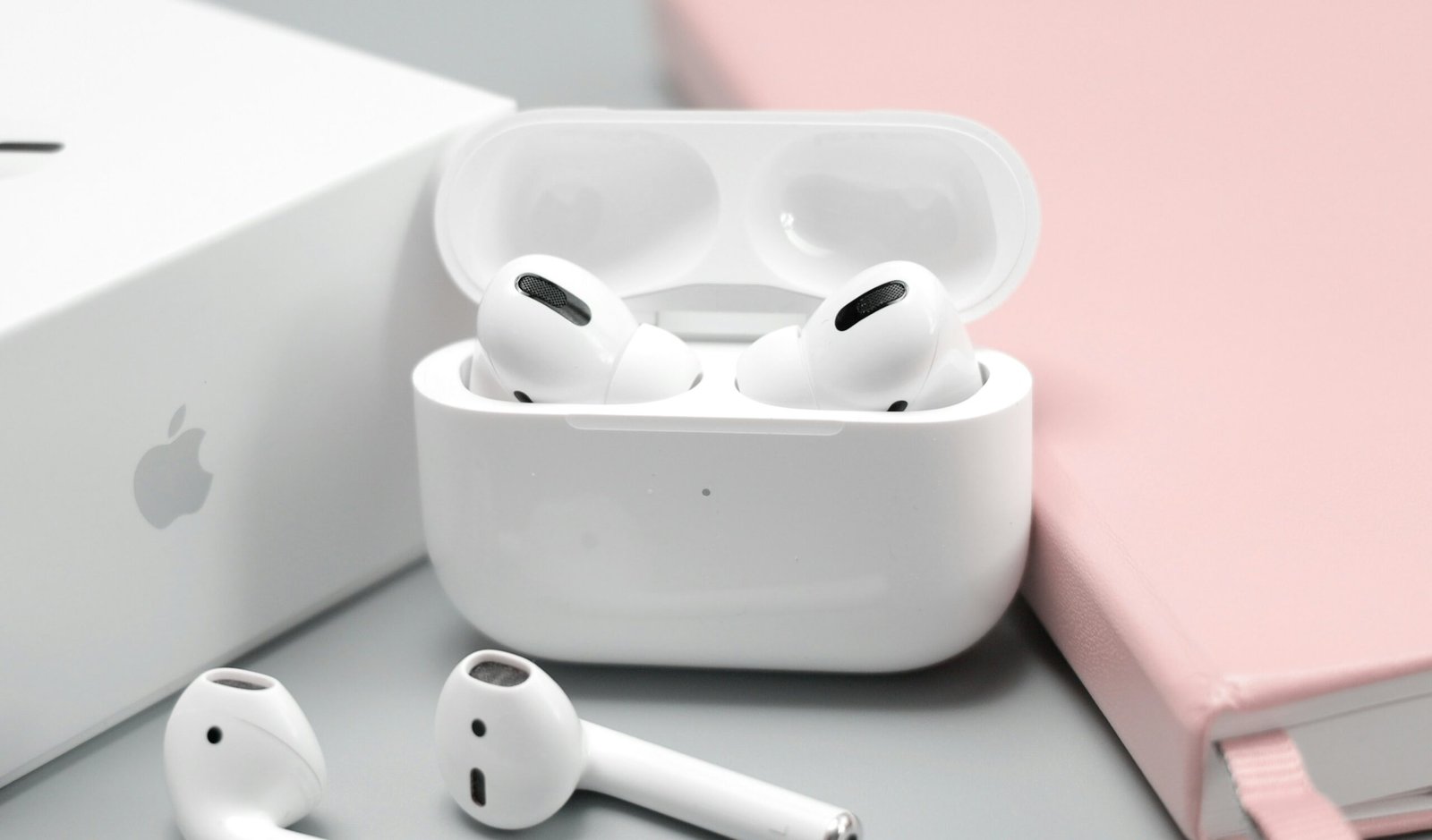

When Apple announced that the AirPods Pro 2 could function as hearing aids, plenty of people assumed it was marketing spin. It was not. In September 2024, the U.S. Food and Drug Administration granted authorization for Apple’s Hearing Aid feature, making the AirPods Pro 2 the first FDA-authorized over-the-counter hearing aid software device. That is a genuine milestone. But authorization and usefulness are two different things, so let us look at what the feature actually does, who it helps, and where it falls short.
What the Hearing Aid Feature Actually Is
The Hearing Aid feature is a software mode built into the AirPods Pro 2, delivered through a free update on iPhones and iPads running iOS 18 or later. When enabled, your AirPods apply personalized amplification based on your hearing profile, boosting the specific frequencies you struggle to hear while leaving the rest of the soundscape natural. This is fundamentally different from simply turning up the volume. Volume raises everything equally, including background noise. The Hearing Aid feature uses the same core idea as real hearing aids: frequency-specific gain shaped to your hearing loss.
Apple actually built a trio of hearing health features, and it helps to keep them straight:
Hearing Test
This is a validated pure-tone hearing test you take with your AirPods Pro 2 in a quiet room. It plays a series of beeps at different pitches and volumes, and you tap the screen when you hear them, exactly like the basic test at a hearing clinic. The whole thing takes about five minutes per ear, and your results land in the Apple Health app as a proper audiogram-style record. You can read our plain-English guide on how to read your audiogram to understand what those results mean.
Hearing Aid Mode
This is the headline feature. Using your Hearing Test results (or an audiogram uploaded from a professional test), the AirPods create a personalized hearing profile and amplify sound accordingly. It works for phone calls, FaceTime, music, and real-world conversation around you. Apple designed it for adults with perceived mild to moderate hearing loss.
Hearing Protection
This one is separate from amplification. It uses the AirPods’ noise control to reduce loud environmental sounds, like concerts or construction noise, while keeping awareness of your surroundings. Think of it as smart earplugs rather than a hearing aid.
Who AirPods Pro 2 Hearing Aids Are For
The honest answer is narrower than Apple’s marketing suggests. These make the most sense for you if several things are true at once. You have mild to moderate hearing loss, confirmed by the built-in test or a recent professional audiogram. You already own, or were planning to buy, an iPhone, since the feature requires Apple hardware and will not work with Android phones. You want help mainly in specific situations, like restaurants, meetings, or TV watching, rather than all-day, every-day support. And you are comfortable wearing earbuds for extended periods.
They are not appropriate if you have severe or profound hearing loss, single-sided deafness with complex needs, chronic ear infections, or ear anatomy that will not hold an earbud tip securely. If any of those sound like you, start with our guide to OTC vs prescription hearing aids to see which path fits your situation.
How to Set Up the Hearing Aid Feature
Setup is genuinely straightforward, and Apple deserves credit for making clinical-style technology approachable. Here is the process:
- Update everything. Make sure your iPhone or iPad runs iOS 18 or later, and your AirPods Pro 2 firmware is current. Put the AirPods in their case near your phone and the update usually applies on its own.
- Find a quiet room. Background noise skews the test results, so pick the quietest room in your house and silence notifications for ten minutes.
- Take the Hearing Test. Go to Settings, tap your AirPods, then take the Hearing Test. Follow the on-screen instructions and tap whenever you hear a tone. Do both ears.
- Review your results. The Health app stores your results and tells you whether they suggest little to no loss, mild, moderate, or severe loss. If the result suggests severe loss, Apple itself recommends seeing a hearing professional rather than relying on the earbuds.
- Turn on Hearing Aid mode. In the AirPods settings, enable the Hearing Aid feature. Your personalized profile applies automatically, and you can fine-tune amplification, balance, and tone in the settings.
- Adjust over a few days. Like real hearing aids, your brain needs time to adjust to amplified sound. Start in easier listening environments before tackling noisy restaurants.
How They Compare to Real OTC Hearing Aids
To judge whether AirPods Pro 2 work “as hearing aids,” you have to compare them against actual hearing aids, not against regular earbuds. Here is how they stack up against dedicated OTC devices like the Jabra Enhance Select or Lexie:
| Factor | AirPods Pro 2 | Dedicated OTC Hearing Aids |
|---|---|---|
| Price | Around $249 (often less on sale) | $99 to $1,500 per pair |
| FDA status | FDA-authorized hearing aid software (2024) | FDA-registered OTC hearing aids |
| Battery life | Up to about 6 hours in Hearing Aid mode | 16 to 30 hours per charge (rechargeable models) |
| Form factor | Earbud, visible white stem | Discreet behind-ear or in-ear designs |
| Phone compatibility | iPhone/iPad only | iPhone and Android |
| Professional support | None, self-service only | Varies, some brands include remote audiologist support |
| All-day comfort | Earbuds can cause ear fatigue over long days | Designed specifically for all-day wear |
The battery gap is the biggest practical difference. Six hours covers a work meeting and dinner, but not a full day. Dedicated rechargeable hearing aids routinely last 16 hours or more, and many users simply put them in each morning without thinking about charging until bedtime.
The Real-World Limitations
Let us be blunt about where the AirPods fall short, because this is where marketing gloss meets daily life. First, six hours of Hearing Aid mode means you will charge them midday if you wear them continuously. Forgetting to charge is the number one reason people abandon hearing devices, and a midday charging chore makes abandonment more likely.
Second, the earbud form factor works against all-day use. Earbud tips seal the ear canal, which can feel occluded or cause soreness after several hours. Real hearing aids, particularly receiver-in-canal styles, use vented domes that feel far more natural over a full day. Our types of hearing aids guide explains these designs.
Third, there is no professional in the loop. If your hearing changes, if one ear needs a very different profile, or if you develop a medical ear issue, the AirPods cannot adapt the way a professionally fitted device can. The FDA itself notes that the feature is for perceived mild to moderate loss, and people with more complex needs should see a professional.
Fourth, the Apple-only requirement is a hard wall. If you use Android, the Hearing Aid feature simply does not exist for you.
Are They Worth Trying?
Here is our honest verdict. If you already own AirPods Pro 2 and an iPhone, taking the free Hearing Test costs you nothing and gives you genuinely useful information about your hearing. Turning on the Hearing Aid feature is a reasonable experiment if your loss is mild. Many people in that situation report that conversations in noise get noticeably easier, and that experience alone can motivate them to take their hearing seriously.
If you do not own them yet, do not buy AirPods Pro 2 instead of hearing aids without comparing properly. At $249, they cost more than excellent budget OTC options like the Audien Atom (around $99), which lasts all day and is designed for continuous wear. And if your test suggests anything beyond mild to moderate loss, skip the experiment and see an audiologist first.
Frequently Asked Questions
Do I need a prescription to use the AirPods Pro 2 Hearing Aid feature?
No. The feature is authorized as an over-the-counter device, so no prescription or clinic visit is required. You only need AirPods Pro 2 and a compatible iPhone or iPad.
Will it work with Android phones?
No. The Hearing Aid feature, Hearing Test, and personalization all run through iOS. On Android, the AirPods Pro 2 work as ordinary Bluetooth earbuds with no hearing aid functionality.
How accurate is Apple’s Hearing Test?
Apple describes it as a validated clinical-grade test, and independent reporting has found it reasonably consistent with professional screening. It is a good starting point, but it does not replace a full diagnostic evaluation by an audiologist.
Can I use my professional audiogram instead of Apple’s test?
Yes. You can upload an audiogram from a hearing professional in the Health app, and the AirPods will build your hearing profile from those results instead.
Does using them as hearing aids drain the battery faster?
Yes. Active amplification plus processing uses more power than music playback. Expect around 6 hours in Hearing Aid mode, compared with longer life for music listening, so plan on a midday top-up in the charging case.
The Bottom Line
The AirPods Pro 2 Hearing Aid feature is real, FDA-authorized, and genuinely useful for the right person: an iPhone user with mild hearing loss who wants an easy, no-commitment introduction to amplification. But short battery life, the earbud form factor, and zero professional support keep them from replacing dedicated hearing aids for most people. Try the free test if you own them, compare honestly if you are shopping, and see a professional if your hearing loss is anything more than mild. For a full side-by-side, read our AirPods vs real hearing aids comparison next.